
FlyingPress
Business Plan
$229
per year
Covers 25 sites
Image optimization, real-user analytics, and Redis integration included.
Get page caching, image optimization, real-user analytics, and Redis caching in one plugin. FlyingPress includes the features WP Rocket leaves out, in every plan.
From $59/year. Every feature included. Free for 14 days.
57% of websites using FlyingPress meet Google’s Core Web Vitals thresholds, compared with 52% using WP Rocket.
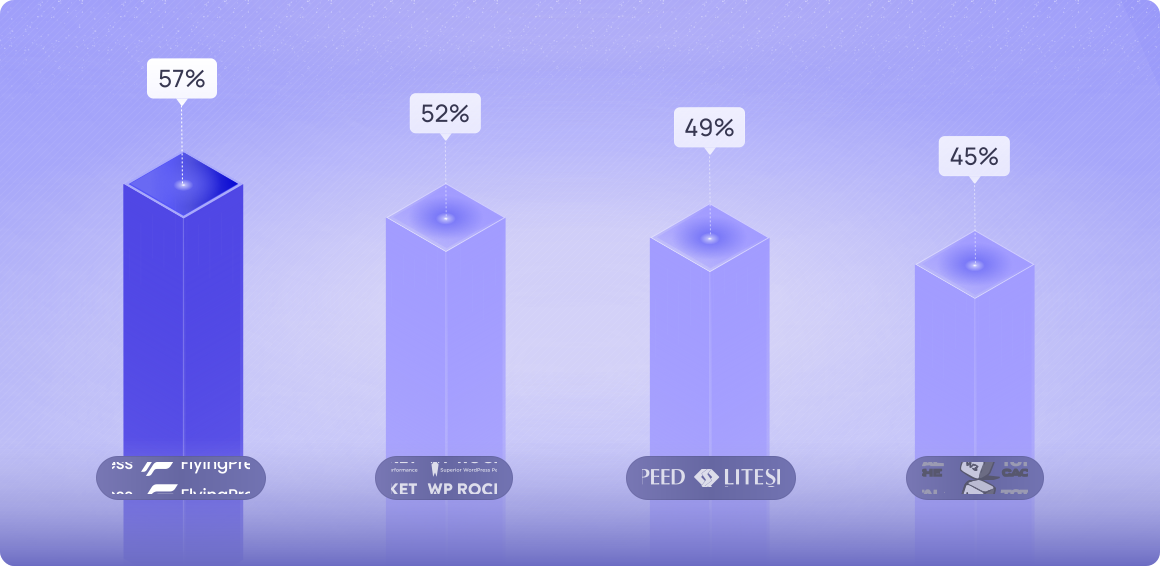
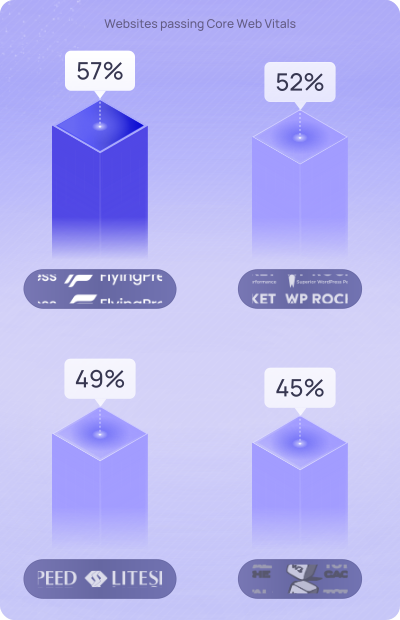
· Mobile · All countries and site ranks. #1 among the four plugins shown. Percentages rounded.
Image optimization, real-user analytics, Redis caching, and more. All built into every FlyingPress plan. Here’s how the details compare.
| What makes the difference |
 FlyingPress |
 WP Rocket |
|---|---|---|
| Image optimization |
Smaller images. Built in.
Compress JPG and PNG images in our cloud and convert them to WebP or AVIF. Optimize your existing library in bulk, then automatically optimize new uploads. |
Not included
Requires a separate image optimization tool, such as Imagify. |
| Real-user monitoring (RUM) |
Real visitors. Real insights.
Measure LCP, INP, CLS, and TTFB from actual visits. Explore 30 days of data by page, device, and country to find where visitors need a better experience. |
Not included
Rocket Insights runs lab tests on selected pages. It doesn’t provide real-user monitoring. |
| Redis object caching |
Speed beyond the page cache
Reuse database results with built-in Redis object caching. Help uncached requests, checkout, logged-in visits, and wp-admin. Track Redis hit ratio and memory usage in your dashboard. |
Not included
Requires a separate object cache plugin or a hosting feature. |
| Cloudflare page caching |
Full pages at the edge
Set up full-page caching from FlyingPress, even on Cloudflare Free. Cache purging and exclusion settings stay in sync. No APO subscription needed. |
APO or manual rules
Supports Cloudflare, but comparable page caching needs APO or separately configured rules. Cache Rules also need the official Cloudflare plugin for purge syncing. |
| Flexible JavaScript loading |
Defer, idle, or interaction
Choose when scripts run. Keep essential scripts loading earlier, while independently delaying third-party or selected scripts until interaction. |
Defer or interaction
Provides defer and interaction-based delay with exclusions. No equivalent load-when-idle setting. |
| Local YouTube previews |
Thumbnails from your site
Automatically select the best available thumbnail resolution and host it locally. Load the YouTube player only on click, without a remote thumbnail request first. |
Thumbnails from YouTube
Also offers click-to-play previews. Thumbnails normally load from YouTube, and changing their resolution requires a code filter. |
| Local Gravatar hosting |
Avatars from your domain
Download and serve Gravatar images locally. Reduce third-party requests on author pages and posts with comments, without another avatar plugin. |
Not included
No built-in local Gravatar hosting. A separate plugin or custom code is needed. |
| WordPress bloat controls |
More settings in one place
Turn off block CSS, Dashicons, jQuery Migrate, RSS, XML-RPC, and oEmbeds when your site doesn’t need them. Also limit revisions and control Heartbeat. |
Fewer built-in controls
Includes emoji optimization and Heartbeat control. The broader set of WordPress bloat controls requires other tools or custom code. |
Redis object caching requires a reachable Redis server and the PHP Redis extension. Use your own Cloudflare account for edge caching. FlyingCDN is optional and billed separately.
Plus the essentials: page caching, cache preloading, unused CSS removal, lazy loading, font optimization, and scheduled database cleanup.
Add full-page caching, image optimization, and Cloudflare Enterprise security with FlyingCDN. It’s optional and billed separately.
| CDN capability | FlyingCDN Cloudflare Enterprise Optional paid add-on | RocketCDN Bunny CDN Optional add-on |
|---|---|---|
| Full-page edge caching |
HTML pages cached at the edge
Serve cached pages close to visitors and reduce requests to your hosting server. |
Static assets only
RocketCDN does not cache HTML pages. |
| Static asset delivery |
Included
Deliver images, CSS, JavaScript, and fonts through the global CDN. |
Included
Delivers static files through Bunny CDN. |
| Image optimization |
Compression and WebP conversion
Optimize images during delivery without changing their URLs. |
Not included
Serves images as they are. Compression and format conversion require a separate tool. |
| Site-wide WAF & bot protection |
Enterprise security included
Protect your website with a web application firewall and bot protection. |
Not provided by RocketCDN
Website-level protection needs a separate service. |
Both plugins provide page caching on your web server. CDN charges are excluded from the plugin pricing calculator.
Explore FlyingCDNHear from customers who chose FlyingPress after using WP Rocket.
“I have switched all of my sites from WP Rocket to FlyingPress. Excellent performance and great support as always!”
Honzell Design
“The FlyingPress plugin is so much better than WP Rocket which I used for several years. Pagespeed is really great.”
Webjuffie
“I switched from WP Rocket about 6 months ago when they changed their pricing-model. I should have done that long before.”
Morten Vestergaard
Selected customer reviews. Read all reviews on Trustpilot.
Get image optimization, real-user analytics, and Redis in every FlyingPress plan. Compare the cost of a single annual plan for your sites.
Business Plan
$229
per year
Covers 25 sites
Image optimization, real-user analytics, and Redis integration included.
Multi 50
$299.95
per year
Covers 50 sites
Image optimization, real-user monitoring, and object caching not included.
FlyingPress costs $70.95 less per year for 10 sites.
Standard one-year license prices in USD, before tax, checked . Third-party add-ons and optional CDN services are excluded. WP Rocket pricing and terms.
Manage caching, images, real-user analytics, and Redis together. Our cloud handles page analysis and image processing, so you can spend less time managing separate performance tools.
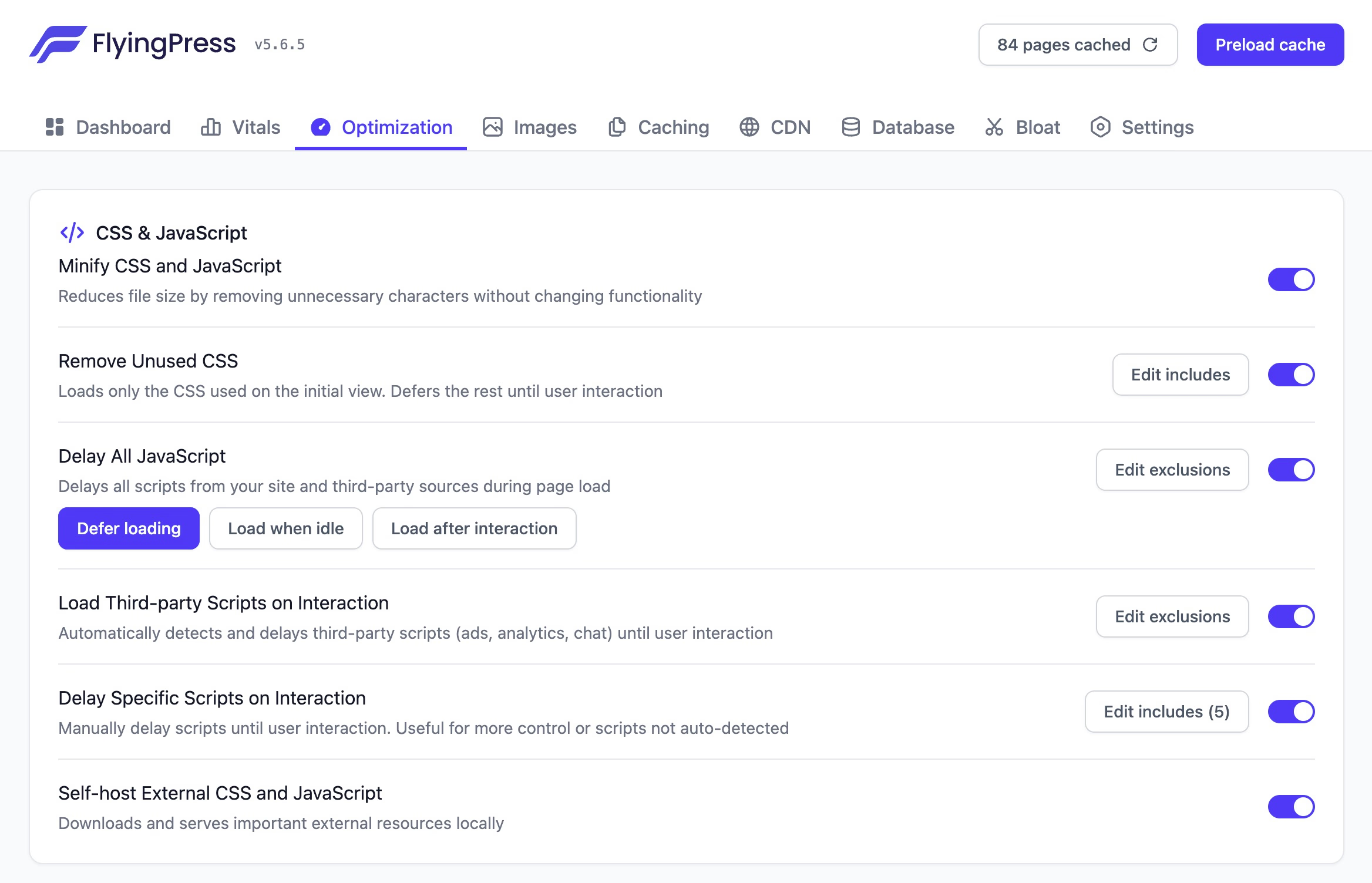
FlyingPress brings image optimization, real-user analytics, and Redis object caching into one plugin. Every plan also includes Cloudflare page-cache setup, flexible script loading, local YouTube thumbnails and Gravatars, and WordPress bloat controls. That means fewer separate tools and more of your performance settings in one place.
FlyingPress ranks #1 among the four plugins in the HTTP Archive comparison above. The report compares the share of websites with good Core Web Vitals using real visitor data from Google’s Chrome UX Report. The chart shows the snapshot and filters used.
Deactivate WP Rocket before activating FlyingPress. Running two page caching and optimization plugins can create overlapping settings and make issues harder to diagnose.
FlyingPress measures LCP, INP, CLS, and TTFB from actual visits, with page, device, and country breakdowns. WP Rocket’s Rocket Insights runs page tests; it doesn’t provide real-user monitoring.
No. These plugin features are included in every FlyingPress plan. Cloudflare page caching uses your own Cloudflare account and works with its free plan. FlyingCDN is optional and billed separately. Redis caching needs a Redis-enabled host and the PHP Redis extension.
Try every plugin feature free for 14 days. Cancel from your account before the trial ends to avoid a charge. If you continue, your subscription starts billing automatically. We send a reminder before your trial ends.